PMS for PG and paying-guest properties
Manage recurring occupancy, rent and tenant movement in one place.
Connect tenant records, KYC documents, room or bed allocation, deposits, rent cycles, renewals and vacancies where the relevant services are enabled.
- Web-based
- Role-aware
- Property-specific
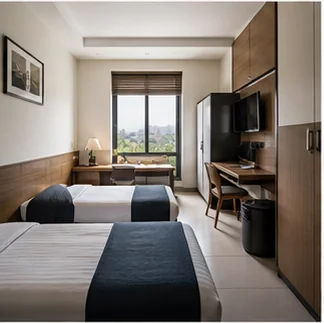
Current property standingOpen view
Managing a pg / paying guest comes with its own operational challenges.
A PG is an ongoing occupancy business. Operators need to follow tenant identity, allocation, monthly obligations and renewal dates—not only arrival and departure.
Recurring occupancy
Rooms and beds remain occupied across repeated rent cycles and renewal decisions.
Tenant verification
Identity and KYC records require controlled access and a clear completion status.
Rent and deposits
Monthly rent, security deposits and outstanding amounts need separate, retained records.
Bed movement
Transfers between rooms or beds must preserve the tenant’s occupancy history.
Vacancy planning
Upcoming move-outs and renewals affect what can be offered next.
A tenant-aware record for every rent cycle.
PMS adapts unit vocabulary and recurring occupancy workflows for PG operations while protecting identity and financial access by role.
Verify before move-in
Keep identity, KYC and required document status with the tenant record.
Allocate exact space
Assign the tenant to a configured room or bed.
Follow the rent cycle
Record rent, deposits and balances through enabled billing and payment services.
Plan renewal or vacancy
Keep the current term and next occupancy decision visible.
The PMS modules that matter to this operation.
Available modules depend on the selected plan and the capabilities enabled for the property.
Tenant records
Maintain authorised identity, contact and occupancy information.
KYC & documents
Retain required verification records with controlled access.
Rooms & beds
Configure and allocate individual occupancy units.
Occupancy
Track move-in, current standing, transfer and move-out.
Rent & deposits
Manage recurring charges and deposits where billing is enabled.
Renewals
Review upcoming terms and record authorised extensions.
Maintenance
Track relevant property conditions and work where enabled.
Reports
Review occupancy and payment records available to the role.
Follow the work from the first request to the retained record.
Each step keeps its property, guest and account context as responsibility moves through the operation.
- 01EnquiryIdentify the location, room or bed need.→
- 02Tenant verificationCollect and review required KYC records.→
- 03Room / bed allocationAssign an available occupancy unit.→
- 04Move-inBegin the occupancy and record deposit standing.→
- 05Rent cyclePost and review recurring amounts where enabled.→
- 06RenewalConfirm a new term or expected move-out.→
- 07Move-outSettle the account and release the unit.
Give each person the property context their responsibility requires.
Role-based access limits pages and actions to the responsibilities and properties assigned to each authorised user.
Owner
Locations, occupancy, access and account oversight.
Property manager
Allocation, vacancies, conditions and daily work.
Tenant manager
KYC, move-in, renewals and tenant communication records.
Accounts
Rent, deposits, payments and balances.
Maintenance
Assigned property work where enabled.
OWOwnerAll assigned areasOwner
PRProperty managerRelevant property workAssigned
TETenant managerRelevant property workAssigned
ACAccountsRelevant property workAssigned
Anything not granted stays unavailable.
See occupancy, renewals and rent attention together.
Illustrative PG views replace hotel-only language with the tenant, bed and recurring-cycle context the operator uses.
What changes when the property record is connected.
These gains describe clearer property work—not guaranteed financial or performance results.
Clearer vacancy position
Know which beds are occupied, open or expected to release.
Controlled KYC records
Keep verification status available only to authorised responsibilities.
More dependable rent follow-up
Connect recurring amounts, payments and balances to the tenant.
Visible renewal decisions
Review upcoming terms before they become vacancies.
Retained movement history
Preserve the occupancy record when a tenant changes units.
One PMS. Configured around your property.
Use one dependable operating base, then shape property structure, access, modules and presentation around the business.
Property-aware setup
Structure PMS around the property, units and operating model.
Role-based access
Give team members access according to their responsibilities.
Modular capabilities
Enable the services relevant to the property and selected plan.
Brand & digital presence
Support the property’s own presentation and guest-facing touchpoints where applicable.
Scalable architecture
Start with the required property and module allowance, then use available upgrades as the operation grows.
PG / Paying Guest Properties PMS questions, answered.
Straight answers about how this property model fits the PMS operating base.
Can PMS manage tenant KYC records?
Yes. Authorised users can retain identity and required verification records with controlled access.
Can we track monthly rent?
Recurring rent records can be managed where the relevant billing capability is enabled for the account.
Can PMS manage security deposits?
Deposit charges, receipts and settlement context can be retained through enabled folio and payment controls.
Can tenants be assigned individual beds?
Yes. A PG can configure rooms and individual beds and assign the tenant to the correct unit.
Can we track renewals?
Yes. Current occupancy terms and authorised extensions can be recorded so upcoming renewal decisions remain visible.
Can we monitor vacancies across locations?
Yes, when multiple locations are included in the account’s property allowance and the user has the required access.
Related property solution
Managing several PG locations?
See how central oversight can coexist with location-level responsibility.
 →
→Ready when you are
Ready to organise your PG around tenants, beds and rent cycles?
Discuss the locations, occupancy terms and configured services your operation needs.