PMS for homestays and B&Bs
Keep the stay personal and the property record clear.
Organise rooms, reservations, guest details, payments and everyday preparation without turning a hosted property into a complicated hotel system.
- Web-based
- Role-aware
- Property-specific
Current property standingOpen view
Managing a homestay / b&b comes with its own operational challenges.
Hosted accommodation runs on personal attention, but availability and money still need exact records. The owner should not have to choose between warmth and structure.
Owner-managed calendar
Availability must stay clear even when the same person handles enquiries, arrivals and service.
Direct guest contact
Booking details and communication context can easily split across personal channels.
Room preparation
A small number of rooms makes each readiness decision more important.
Simple payment record
Deposits and balances need clarity without an oversized finance process.
Property story
Guest-facing content should sound and look like the host’s own property.
Simple structure behind a more personal welcome.
PMS keeps the essentials connected and lets the owner select a focused set of modules, roles and branded guest touchpoints.
Keep one availability view
Know which rooms can be offered before replying to an enquiry.
Prepare each welcome
Keep the guest, dates and room context visible before arrival.
Record payment standing
See deposit, balance and receipt context with the booking.
Publish your own story
Manage property content and branding where included.
The PMS modules that matter to this operation.
Available modules depend on the selected plan and the capabilities enabled for the property.
Rooms & availability
Configure the rooms and dates the property can offer.
Reservations
Manage direct bookings, amendments and standing.
Guest records
Keep authorised contact and stay information.
Arrival & departure
Follow a simple guest movement record.
Housekeeping
See the rooms that need preparation.
Payments
Record deposits and balances through enabled services.
Branding & landing page
Present the property’s own identity and content.
Follow the work from the first request to the retained record.
Each step keeps its property, guest and account context as responsibility moves through the operation.
- 01Guest enquiryCheck room and date availability.→
- 02Direct reservationConfirm the guest and room.→
- 03Welcome preparationReview arrival and room needs.→
- 04Hosted stayKeep the current guest context visible.→
- 05PaymentRecord deposit and final balance.→
- 06DepartureComplete the stay and mark the room for preparation.→
- 07Next welcomeReturn the room to available inventory.
Give each person the property context their responsibility requires.
Role-based access limits pages and actions to the responsibilities and properties assigned to each authorised user.
Host / owner
Reservations, guests, branding and overall control.
Property assistant
Arrival, room and daily operating work.
Housekeeping
Room preparation and readiness.
Accounts support
Payments and records where delegated.
HOHost / ownerAll assigned areasOwner
PRProperty assistantRelevant property workAssigned
HOHousekeepingRelevant property workAssigned
ACAccounts supportRelevant property workAssigned
Anything not granted stays unavailable.
Keep the next welcome and room decision easy to understand.
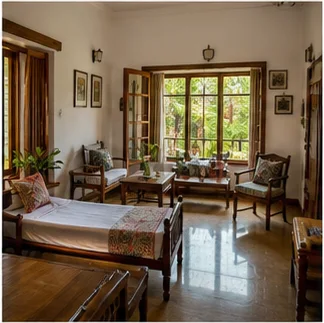
Illustrative homestay views focus on a small set of rooms, direct guests and immediate preparation rather than an oversized hotel dashboard.
What changes when the property record is connected.
These gains describe clearer property work—not guaranteed financial or performance results.
Fewer calendar mistakes
Keep confirmed stays and room availability in one place.
Better guest preparation
Review who is arriving and what room is assigned.
Simple payment clarity
Keep deposits and balances easy to find.
A property-owned identity
Present the stay using your own name, content and style.
A focused operating setup
Enable only the responsibilities and modules the property needs.
One PMS. Configured around your property.
Use one dependable operating base, then shape property structure, access, modules and presentation around the business.
Property-aware setup
Structure PMS around the property, units and operating model.
Role-based access
Give team members access according to their responsibilities.
Modular capabilities
Enable the services relevant to the property and selected plan.
Brand & digital presence
Support the property’s own presentation and guest-facing touchpoints where applicable.
Scalable architecture
Start with the required property and module allowance, then use available upgrades as the operation grows.
Homestays & B&Bs PMS questions, answered.
Straight answers about how this property model fits the PMS operating base.
Is PMS suitable for a small homestay?
Yes. The account can use a focused property, module and role setup without exposing unnecessary operating areas.
Can we manage direct reservations?
Yes. Authorised users can record direct bookings, stay dates, guest details and room assignment.
Can PMS show room availability?
Yes. The property’s configured rooms and reservation dates determine the availability view.
Can we record guest deposits?
Yes. Deposit and balance records can be retained through the enabled payment and folio controls.
Can a family member or assistant have separate access?
Yes. Each authorised person can have a role matched to the responsibilities they actually handle.
Can we create a branded property page?
Yes, where included. Landing content can be drafted, previewed and published under the property’s identity.
Related property solution
Need a more front-desk-led model?
Compare the practical room and booking workflow for guest houses.
 →
→Ready when you are
Ready to organise your homestay without losing its character?
Discuss the rooms, booking channels and daily responsibilities you want to keep clear.